

SHerlock EVENT AI ASSISTANT
Turn every event challenge into a simple conversation
Swapcard's Sherlock event AI assistant helps attendees and exhibitors find what matters, while you focus on running your event


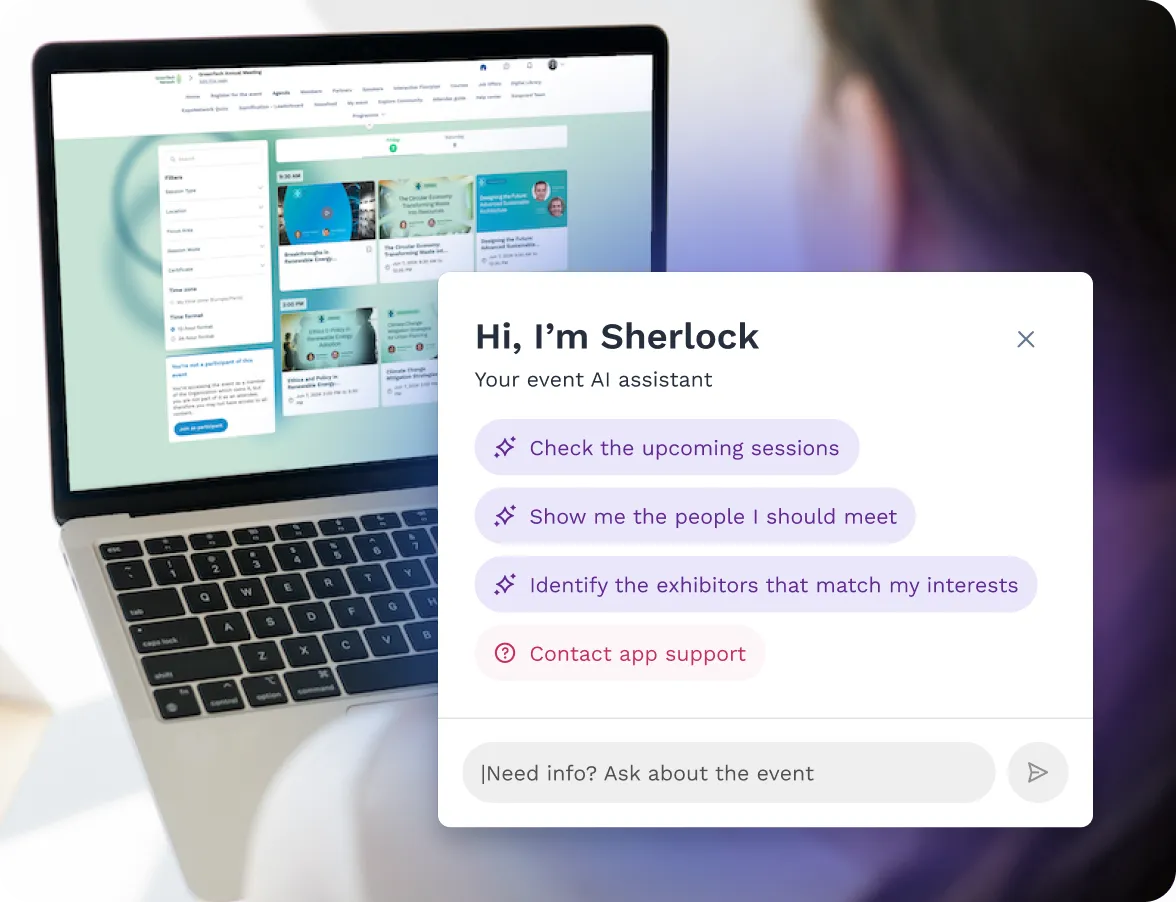
Engage attendees, connect exhibitors, and remove friction from your operations with one personalized assistant

Simplifies event navigation and discovery

Reduces support team workload

Provides personalized, context-aware recommendations

Helps exhibitors find higher-quality leads

Automates repeatable tasks with organizer oversight

Available on the Swapcard app event website, and other tools
Events are powerful, but they’re often overwhelming for everyone involved

Attendees struggle to navigate hundreds of sessions, exhibitors, and networking opportunities, missing what matters most.
Exhibitors waste time searching for the right prospects and underutilize powerful event tools at their disposal.
Organizers get buried in repetitive support questions, manual updates, and time-consuming content tasks.
Engagement suffers when participants can't quickly find answers, leading to frustration and missed opportunities
Swapcard Sherlock transforms chaos into clarity by turning every event challenge into a simple conversation.
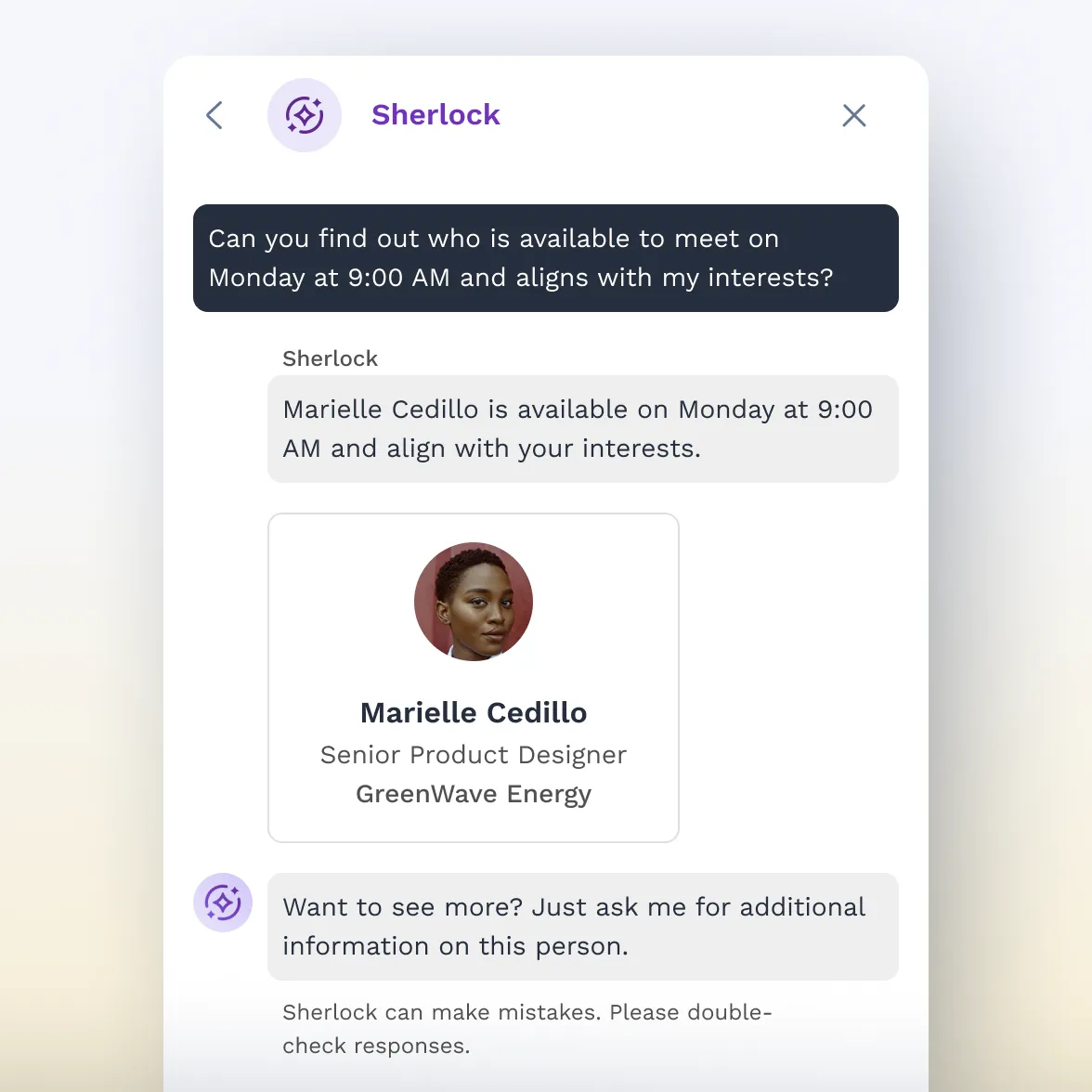

Support navigation & personalized discovery for participants
Connect intelligently with AI-driven recommendations, meeting booking, and real-time location tracking
Navigate sessions effortlessly through personalized itineraries, registrations, and room locations
Discover exhibitors and products with smart search, comparisons, and direct contact options
Manage your agenda — Bookmark sessions, rate talks, and view your personal schedule
Book and manage meetings — Find available slots, accept or decline invitations, reschedule on the go
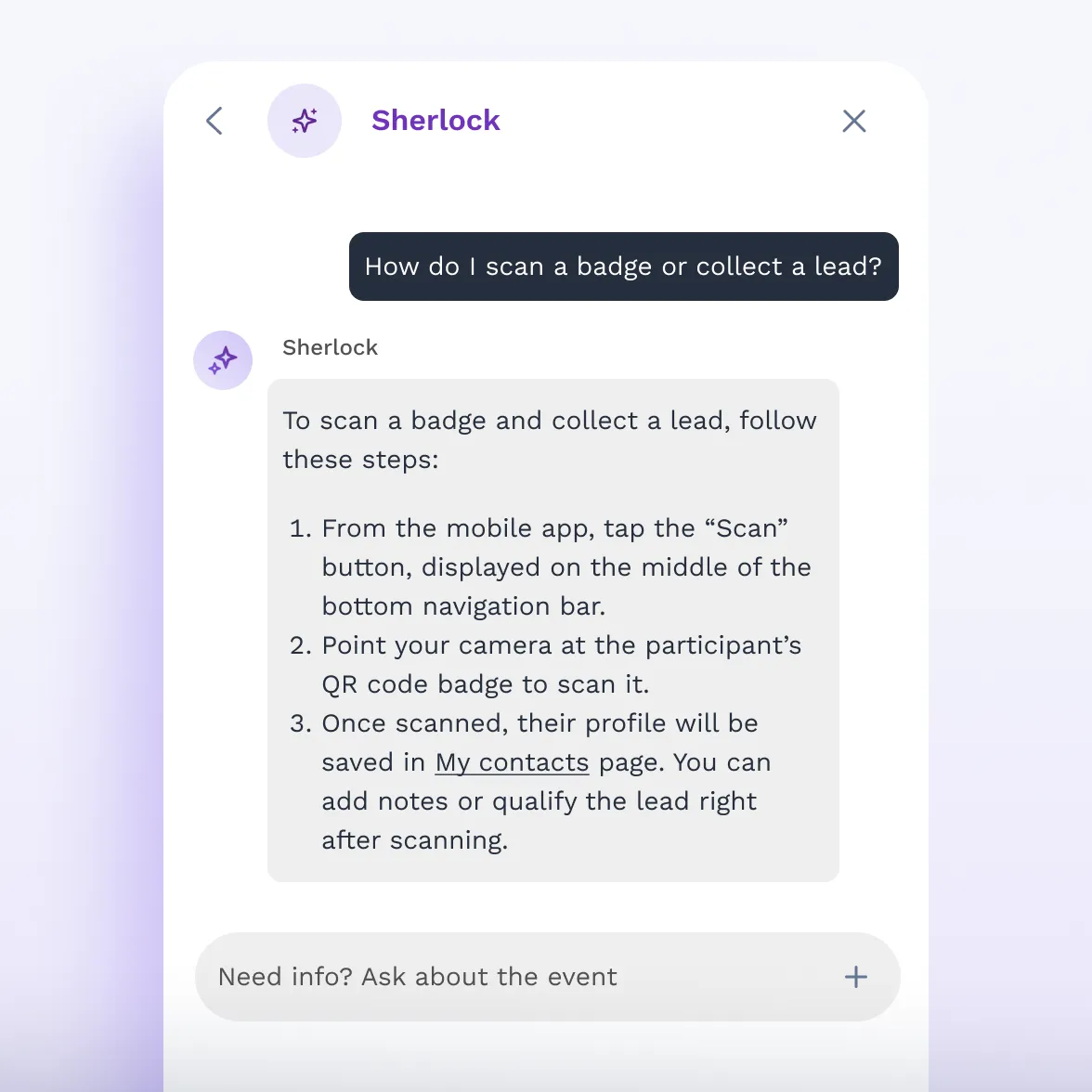
Enhance lead generation, discovery & prioritization
Discover qualified leads who viewed your profile, bookmarked products, or requested meetings
Search by ICP — Find prospects matching your ideal customer profile for targeted follow-up
Run booth meetings — View team calendar, reassign meetings, accept or decline on behalf of the booth
View all captured leads via connections and badge scans in one dashboard
Browse the marketplace — Purchase booth upgrades, lead capture tools, and premium placements

Streamline event operations with one assistant that spans multiple channels
Automate organizer workflows by filling missing data, generating content, and answering support questions instantly
Provide 24/7 assistance for attendees across your website, mobile app, and every touchpoint
Assist with facilities and logistics including parking, accessibility, venue maps, and app troubleshooting
Control access with role-based intelligence — Configure visibility and customize responses by user type
Sherlock applies the same context-aware intelligence regardless of who is using it

Conversation memory — Remembers preferences, recurring entities, and past context across sessions

Multi-turn flows — Detects follow-ups and continues the current task

Knowledge base — Searches event FAQs and information before escalating

Human handoff — Escalates to organizer support when needed

Badge generation — Retrieves event badge on demand

Multilingual — Responds in the user's language, including mid-conversation switches
Frequently asked questions about Swapcard's Sherlock Event Virtual AI Assistant
What is Swapcard Sherlock?
.svg)
.svg)
Sherlock is Swapcard’s Event Virtual AI Assistant. It provides conversational access to event information so attendees, exhibitors, and organizers can get answers, discover relevant content, and navigate events more efficiently.
Who is Swapcard Sherlock built for?
Swapcard Sherlock supports three primary groups:
- Attendees who want faster discovery and personalized guidance
- Exhibitors who want higher‑quality leads and easier onsite operations
- Organizers who want to reduce repetitive support and streamline content tasks
How is Swapcard Sherlock different from other AI assistants?
Swapcard Sherlock is purpose‑built for events and native to Swapcard’s engagement ecosystem (recommendations, meeting generation, session content tools). It focuses on contextual, event‑ready answers rather than generic conversational responses.
How does Swapcard Sherlock work during an event?
Swapcard Sherlock provides a chat‑style interface embedded in the Swapcard app or on an event website. It can be extended to other messaging channels via integrations. Users ask questions in natural language and Swapcard Sherlock returns answers, links, or suggested next steps. Where actions would change event data, Swapcard Sherlock requests organizer approval. Beta channel availability may vary by event.
What kind of questions can attendees ask Swapcard Sherlock?
Swapcard Sherlock handles both factual and contextual queries, for example:
- “Who should I meet based on my interests?”
- “Which sessions fit my role?”
- “Where is Booth 457?”
- “What’s happening next nearby?”
- “Where’s registration? Are there restrooms nearby?”
Answers that rely on personal data or location follow event permissions and privacy settings.
How does Swapcard Sherlock help exhibitors?
Exhibitors can use Swapcard Sherlock to discover and prioritize leads, get guidance on event tools, find meeting spaces, and receive practical recommendations for onsite professionalism. When Swapcard Sherlock suggests content or updates to exhibitor records, those suggestions are surfaced for organizer review unless explicit write‑back is approved.
What value does Swapcard Sherlock bring to organizers?
Swapcard Sherlock reduces repetitive support volume, helps generate or suggest content (session descriptions, categorizations), and assists with configuration troubleshooting. The assistant is intended to free teams from routine questions so they can focus on higher‑value tasks. Some automations are beta/roadmap items and may require configuration.
Does Swapcard Sherlock require a complex setup?
No. Swapcard Sherlock connects directly to your existing Swapcard data. Organizers can customize what Swapcard Sherlock knows, how it responds, and where it’s accessible, without heavy technical work.
Does Swapcard Sherlock use event data securely?
Yes — Swapcard Sherlock follows Swapcard’s security and privacy practices. Any personalization, location features, or automated updates require appropriate permissions and will adhere to data‑use and GDPR requirements. For the approved public privacy statement, consult Security/Legal.
Can Swapcard Sherlock be used outside the event app?
Yes. Swapcard Sherlock is deployable on the Swapcard app and event websites; additional channels (WhatsApp, web chat, kiosk widgets, etc.) are planned or available via integrations, depending on event and partners.
How does Swapcard Sherlock personalize recommendations?
Swapcard Sherlock uses participant profile information, stated interests, and real‑time event context to tailor suggestions. Personalization respects event permissions and user consent — organizers control which data sources Swapcard Sherlock may access.
Does Swapcard Sherlock replace the event help desk?
Not completely. Swapcard Sherlock handles common, repeatable questions at scale and can route complex or high‑touch issues to human staff. The goal is to reduce support volume, not remove human support where it’s needed.
Can Swapcard Sherlock assist before and after the event?
Yes. Swapcard Sherlock can support pre‑event onboarding, onsite navigation, and post‑event follow‑up. Specific pre/post features depend on the event deployment and beta status.

Related articles

Stop answering the same questions & start scaling engagement
Support teams spend 60% of their time on repeat questions that an AI assistant handles instantly. Free your team to focus on what matters: building relationships and creating experiences.



Schedule live demo
By submitting this form, you agree to receive periodic emails on insightful content related to events and our product, and in accordance with our Privacy Policy. You can, of course, change your preferences or unsubscribe at any time.
.svg)


.svg)
.svg)
.svg)
.svg)


